youmessages Knowledge Base
- Knowledge Base
- WhatsApp Business API
- Working with WABA templates in Salesbot
To do this, you need to go to your Gupshup personal account, select the necessary template, and copy its ID:
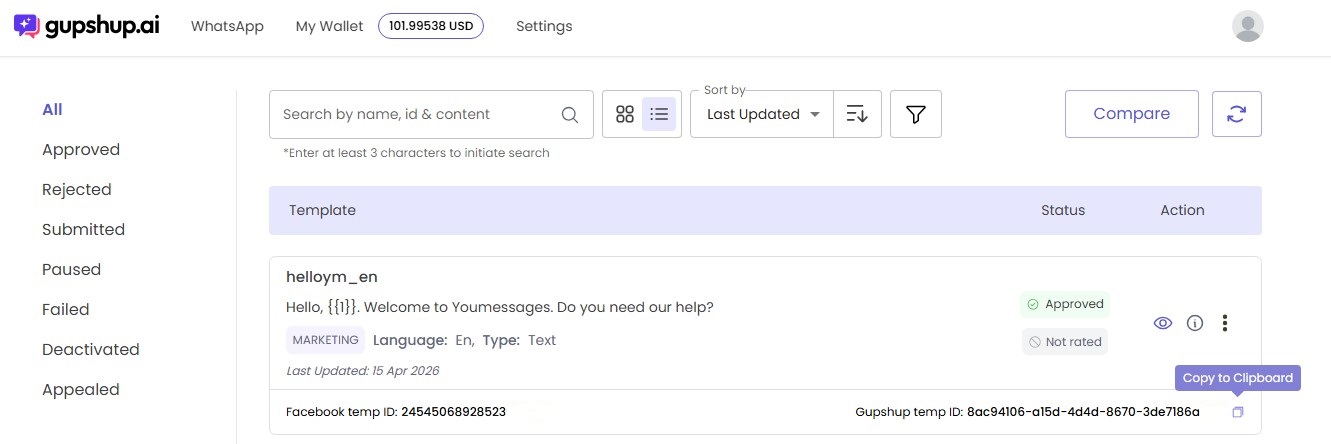
Depending on whether there are variables, we take the necessary template and substitute the Template ID into it, as shown here:
- {"@template": "8ac94106-a15d-4d4d-8670-3de7186a"}
- "params":["[***]"] если есть переменные, добавляем необходимое количество
- {"@template": "8ac94106-a15d-4d4d-8670-3de7186a", "params":["[***]"]}
- {"@template": "8ac94106-a15d-4d4d-8670-3de7186a", "params":["[***]","[***]"]}
- {"@template": "8ac94106-a15d-4d4d-8670-3de7186a", "params":["[***]","[***]","[***]"]}
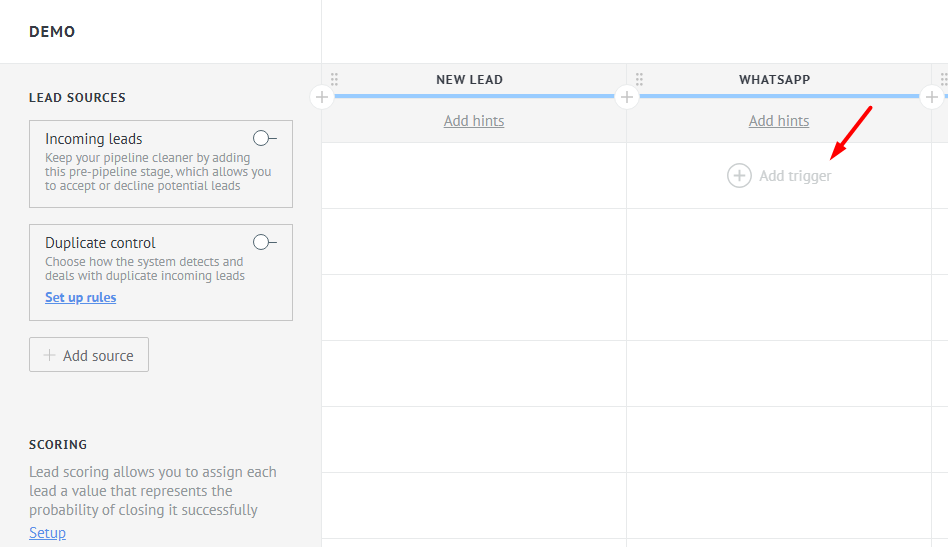
Next, go to the pipeline settings and select the stage where you will create a trigger:
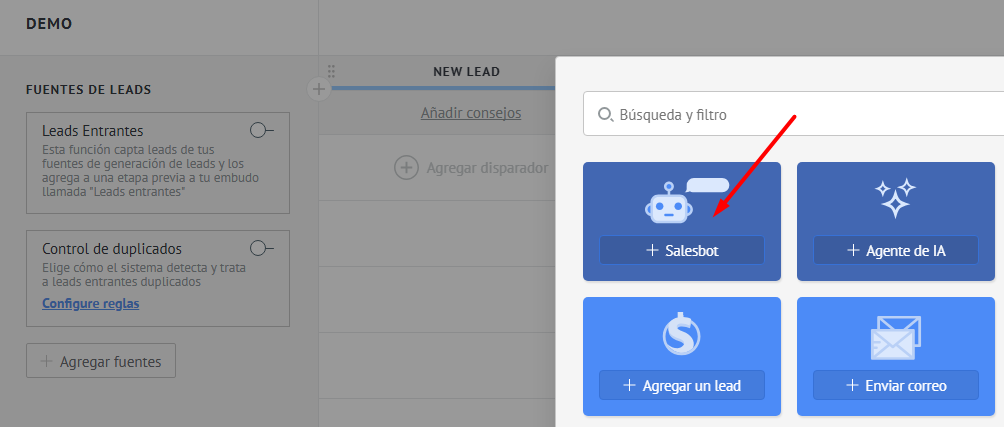
Select SalesBot:
Create a new bot:
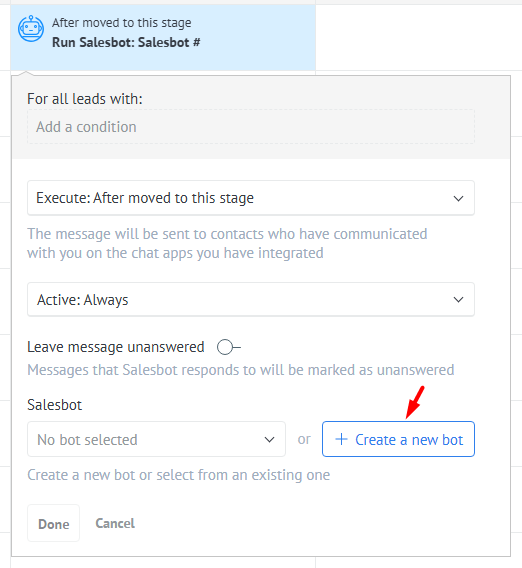
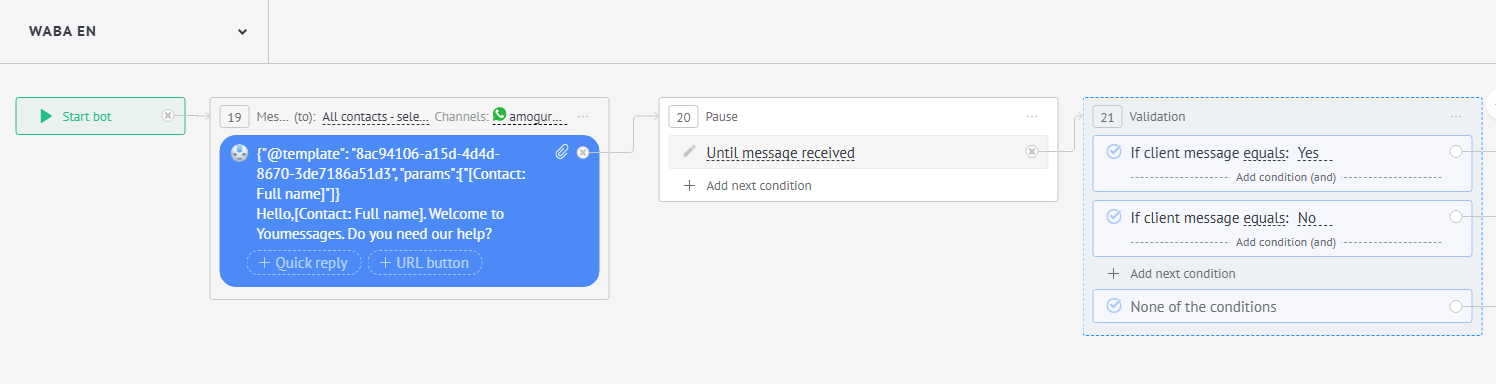
Select Send message and insert the necessary variable:
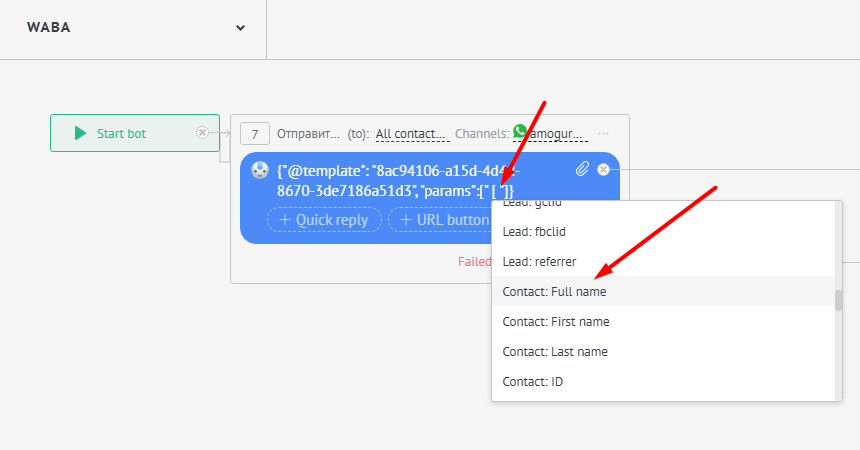
For your convenience, to display the sent template in the CRM (the client receives only the template you configured), you can add the template text to the Salesbot settings; this text will be visible only to you. Next, configure the Salesbot according to your tasks — in this case, based on the client's response option: