
youmessages Knowledge Base
- Knowledge Base
- WhatsApp Cloud API сalls and messages
- STEP 14. Call settings in WhatsApp
Before making a call to the client, you must send them a template message requesting permission to make the call. (how to create it is described in STEP 10. Creating WACA Templates).
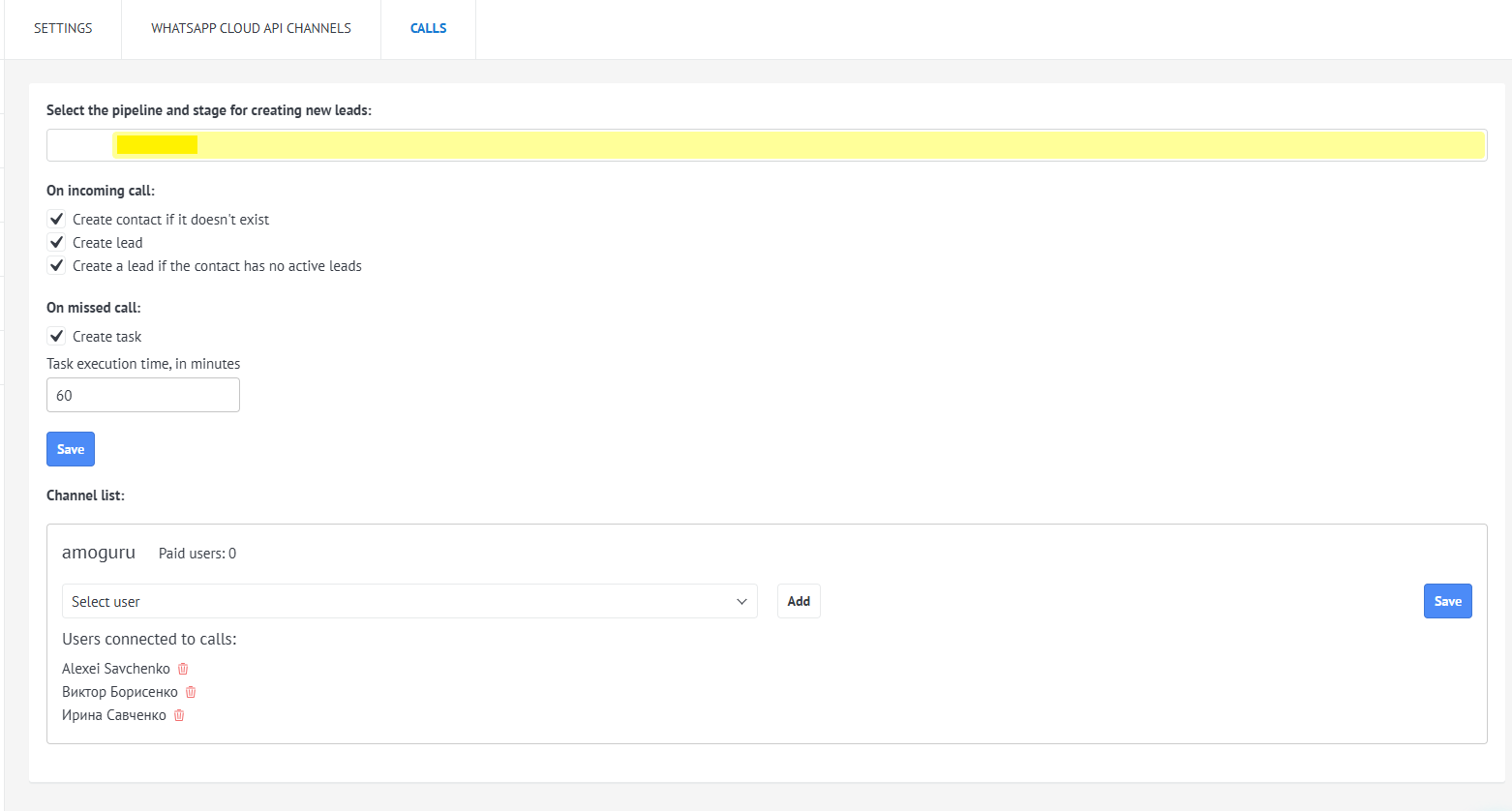
Call setup is done in the amoCRM interface in the Settings → WhatsApp Cloud API → Calls.
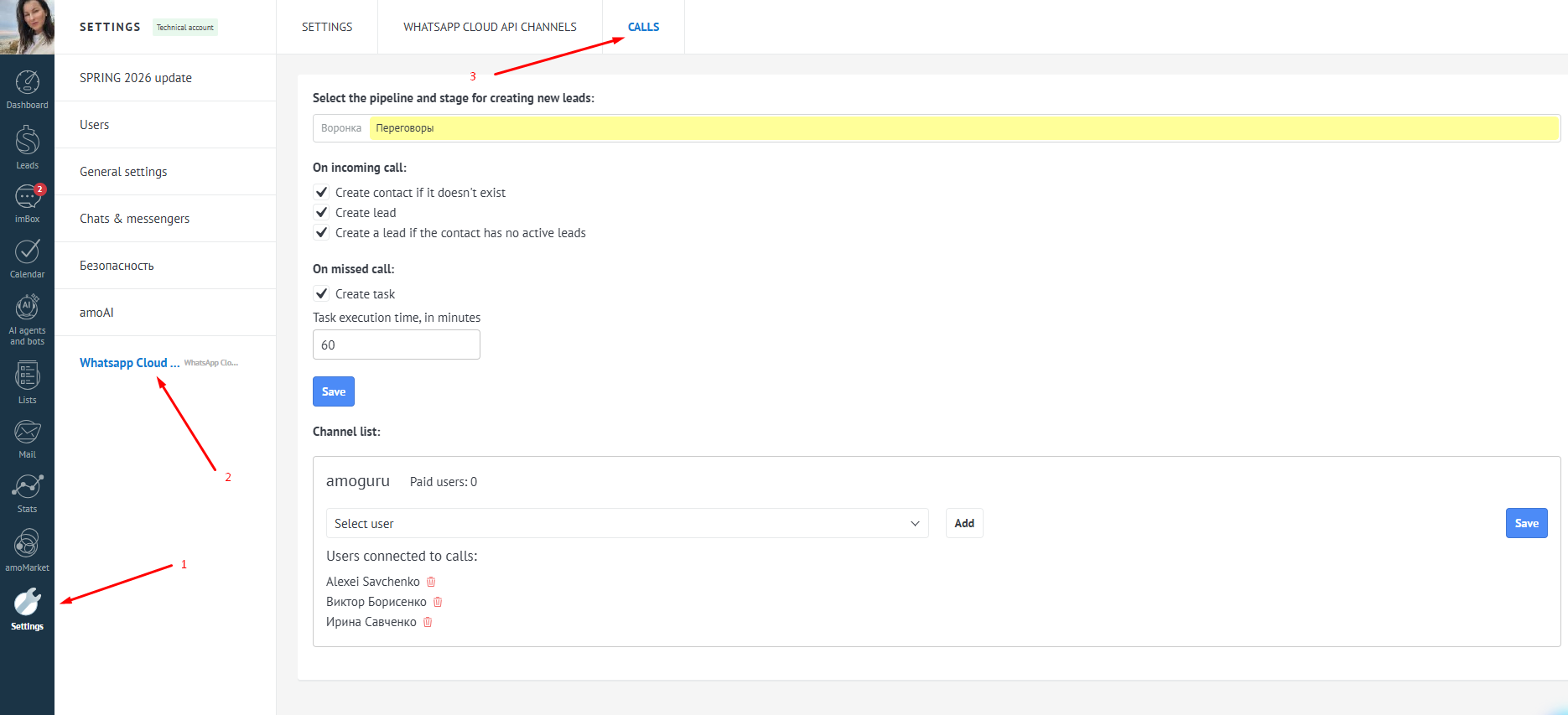
The integration allows you to:
1. Select a pipeline and stage for creating new leads;
2. Configure lead and contact creation on an incoming call;
3. There is an option to create a task with a deadline on a missed call;
4. In the connected channels, add/remove the list of users connected to calls (Settings must be saved when changes are made).
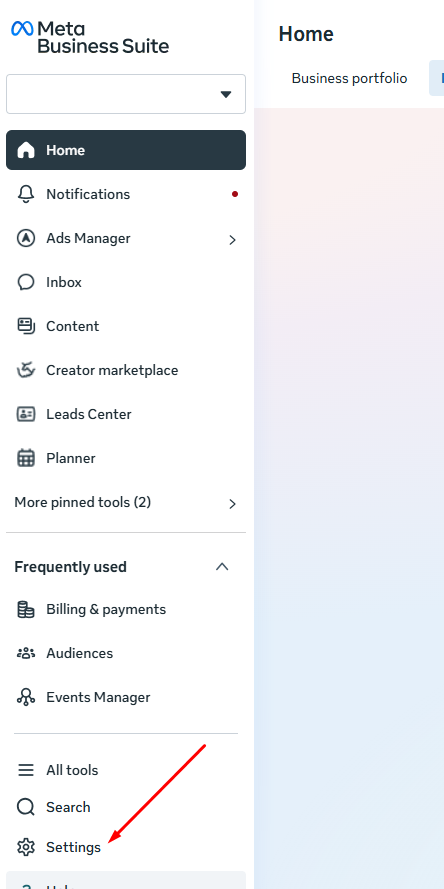
Go to Meta* Business Suite, select the business portfolio, and go to the Settings section.
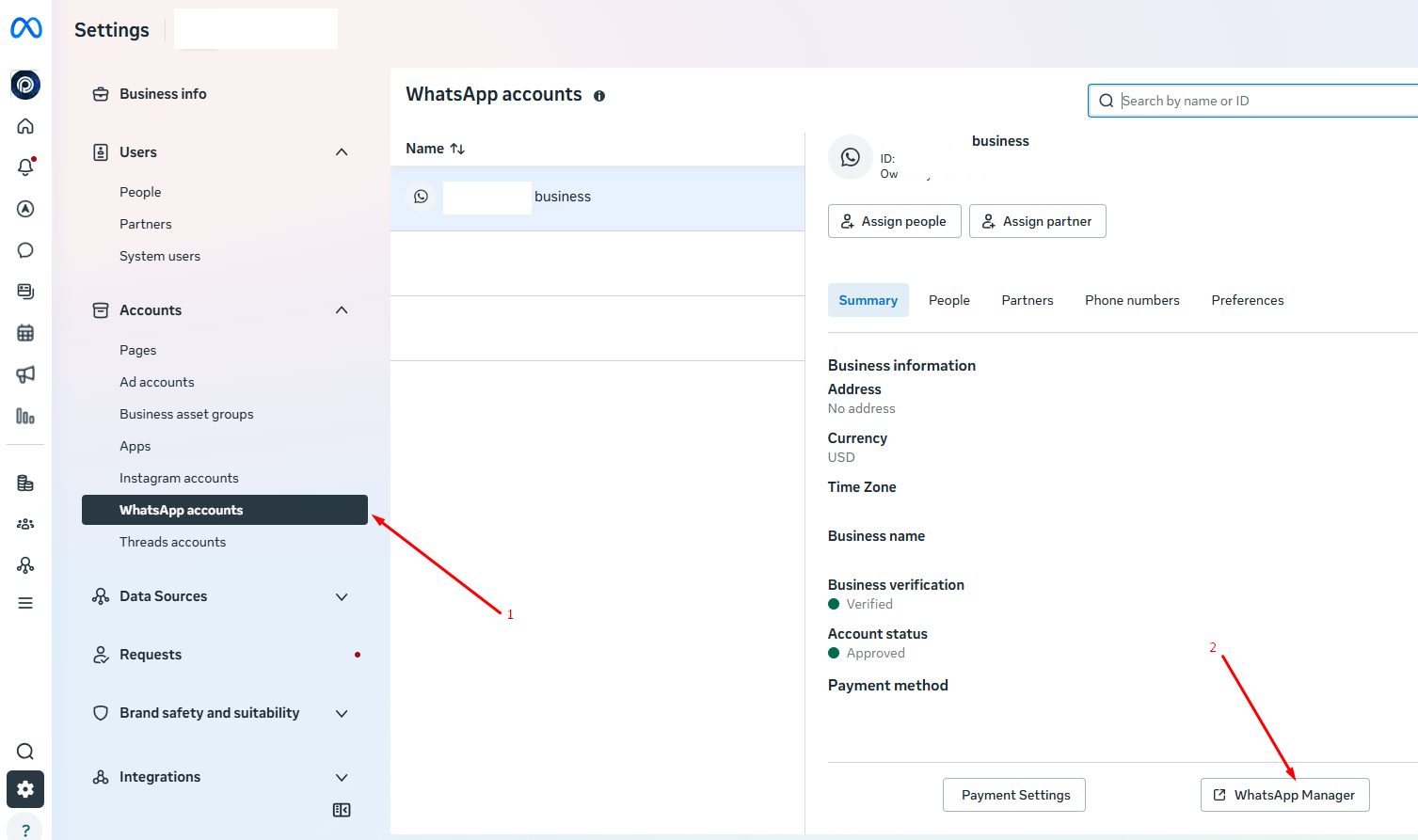
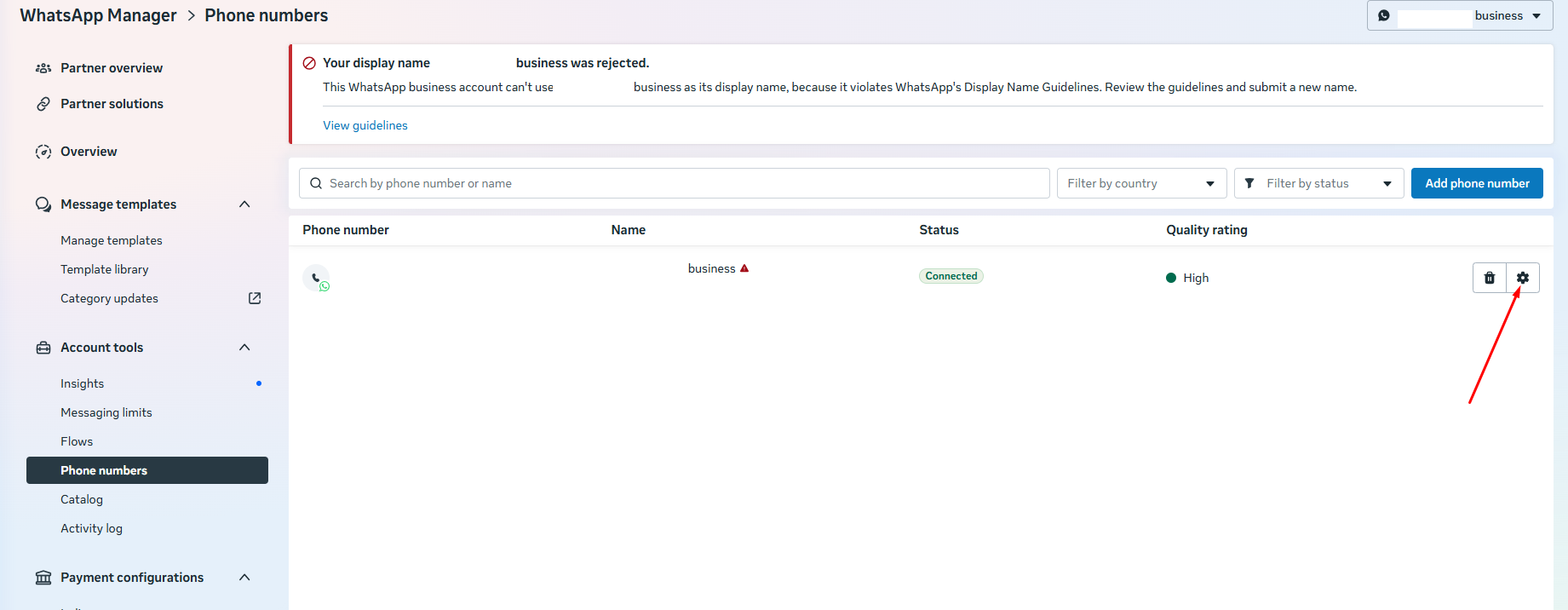
Go to WhatsApp Accounts and enter the WhatsApp Manager.
Go to the Number Settings for the number through which calls will be made.
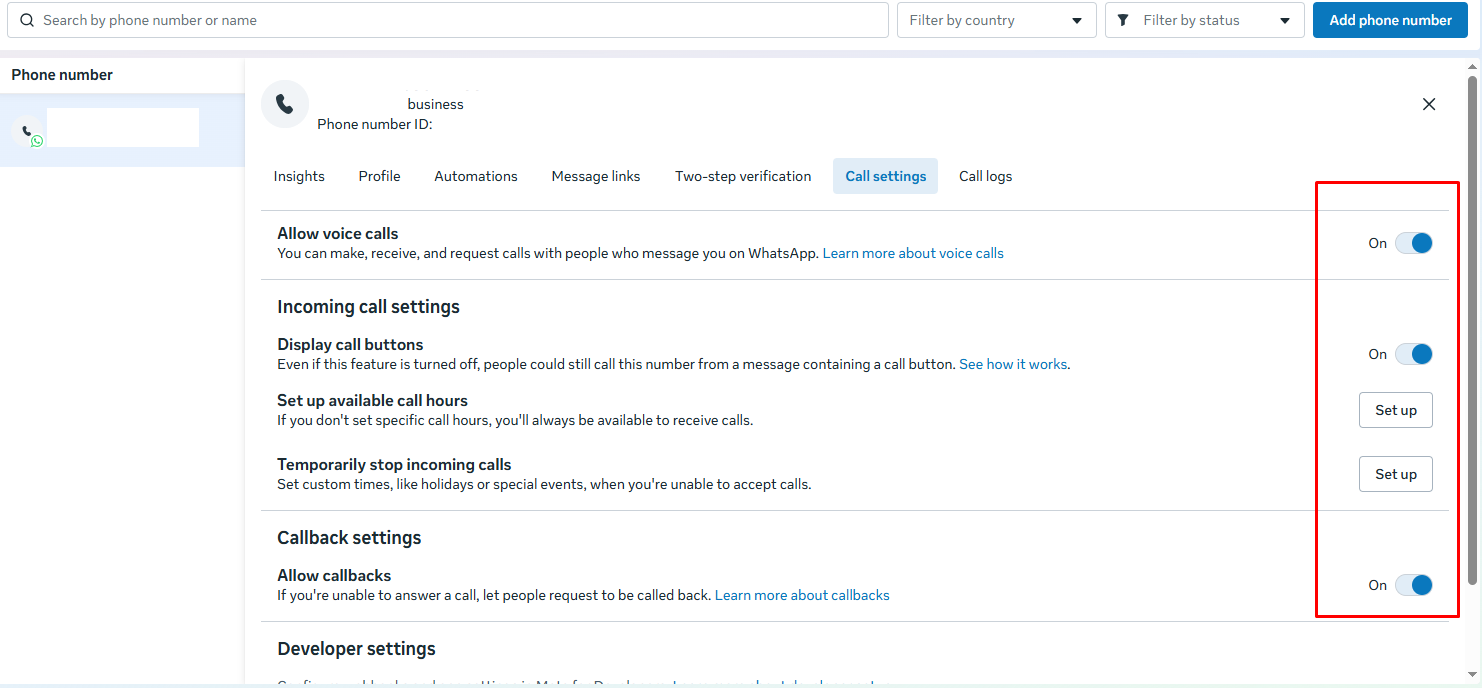
Go to Call Settings and enable the call options.
Please note that for making calls, microphone access in the browser must be granted (in the browser settings).