
youmessages Knowledge Base
- Knowledge Base
- WhatsApp Cloud API сalls and messages
- STEP 13. Connecting and configuring WhatsApp Cloud Api channels
Go to the "Settings" section of WhatsApp Cloud API by YouMessages, then navigate to WhatsApp Cloud API (WACA).
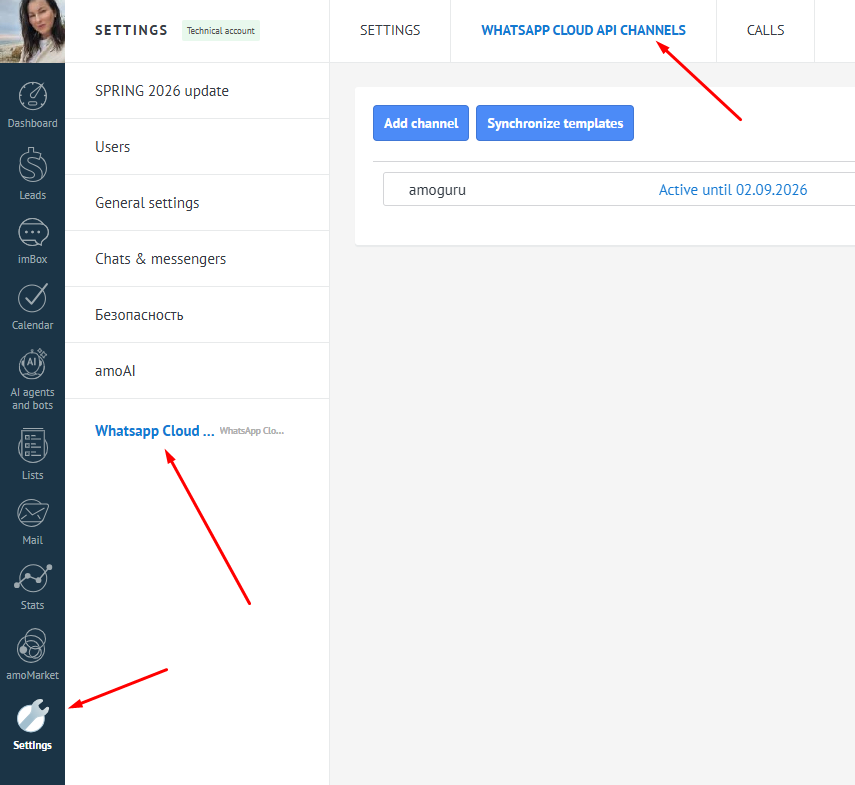
Click on "Add channel," which opens a window where mandatory fields need to be filled.
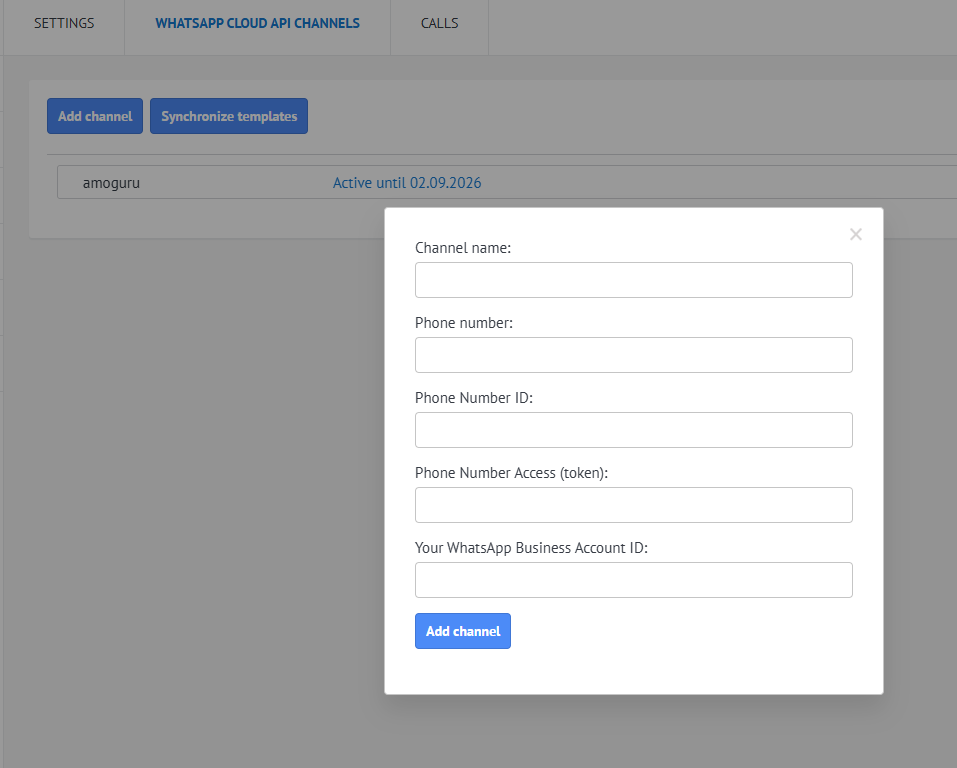
1. Channel name — arbitrary;
2. Phone number — WhatsApp Cloud API phone number;
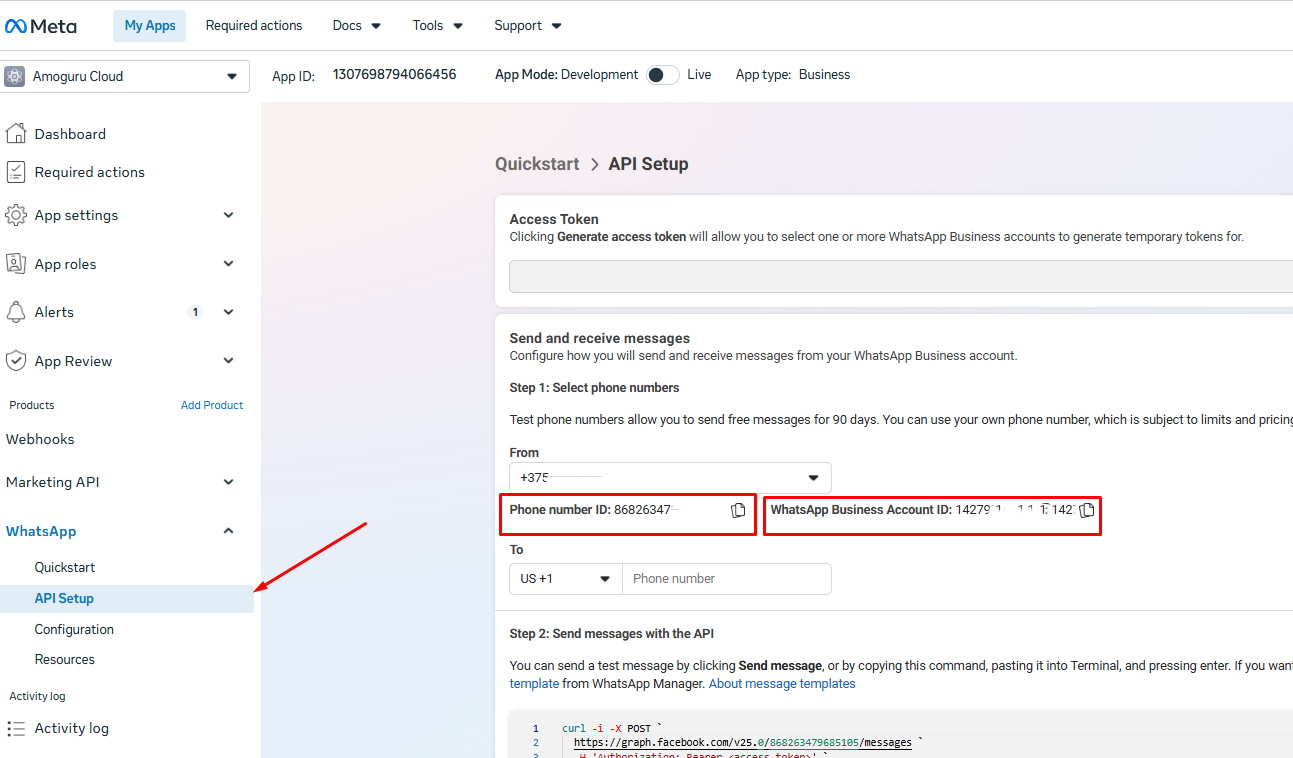
3. Phone Number ID — take from https://developers.facebook.com (see the next screenshot);
4. Phone Number Access (token) — take from STEP 6;
5. Your WhatsApp Business Account ID — take from https://developers.facebook.com (see the next screenshot).
After that, a connected channel with a 3-day trial period will appear in your list. Payment for the integration is also available in this section.

We go to the widget settings in Kommo, select a channel and choose the pipeline where new leads will be created. We also select the users who will have permission to write from the channel. (During the trial period, any number of users is available).
There is an option to add the channel to the CRM plugin.
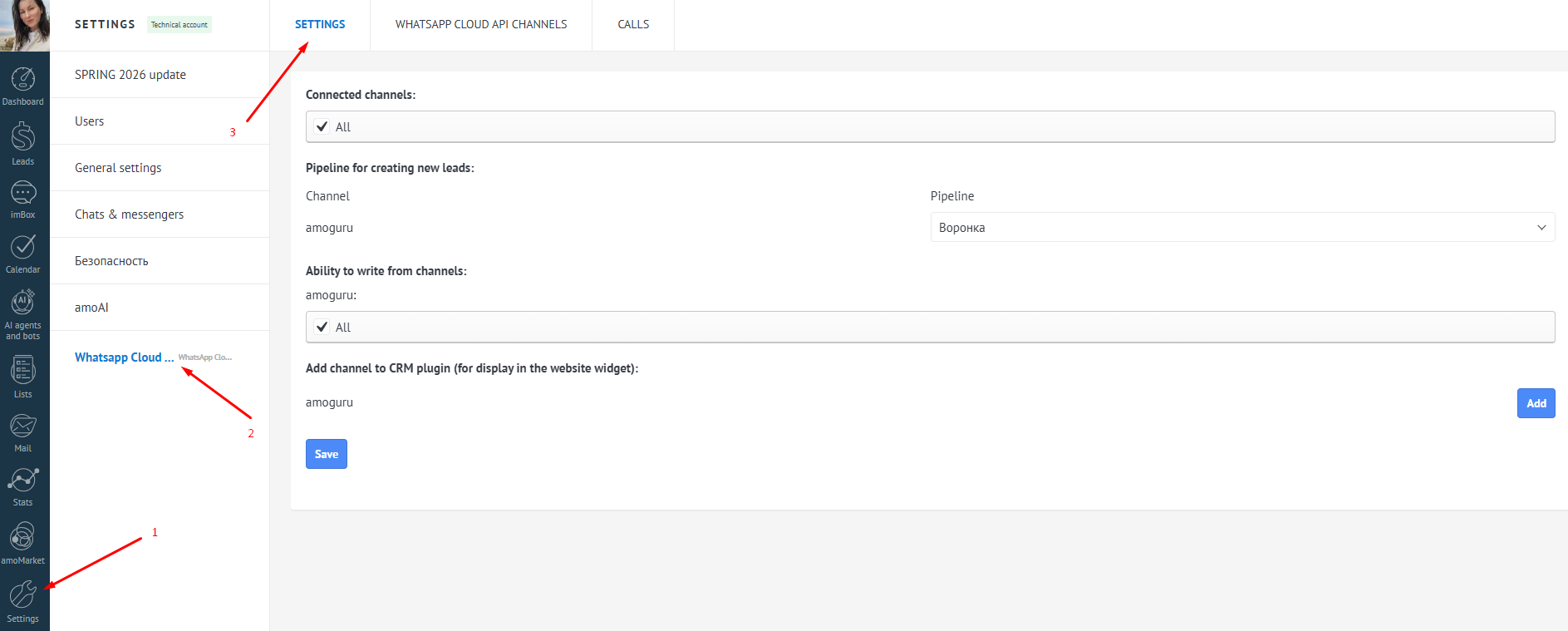
Now you can start creating templates and sending messages