youmessages Knowledge Base
- Knowledge Base
- WhatsApp Cloud API сalls and messages
- STEP 7. Set up Webhook
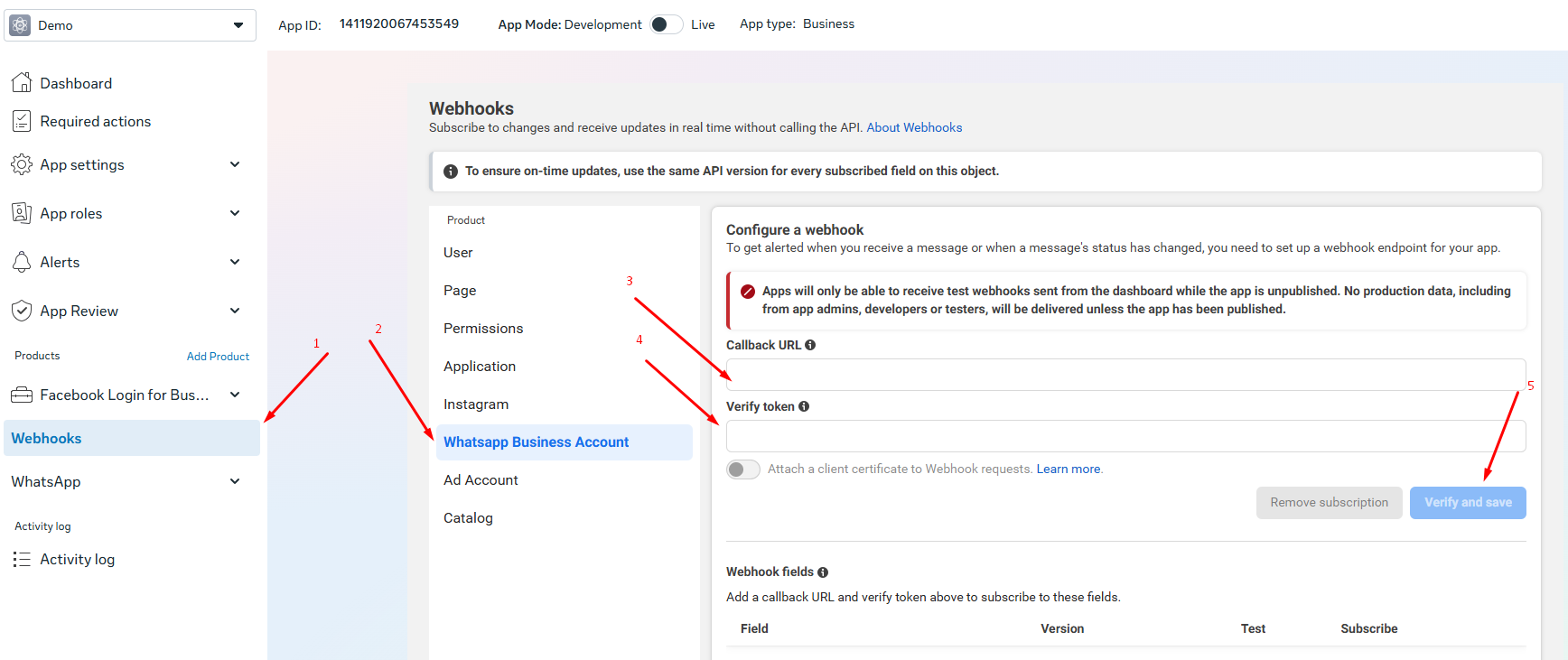
1) Go to the Meta* for Developers page and access your app. To do this, select "My Apps" from the top menu.
2) Go to the "Webhooks" menu.
3) Click on "WhatsApp Business Account".
4) Paste https://s2.youmessages.com/api/webhook into the "Callback URL" field.
5) Enter EAASlWFoX8hgBPtkkANde into the "Verify Token" field.
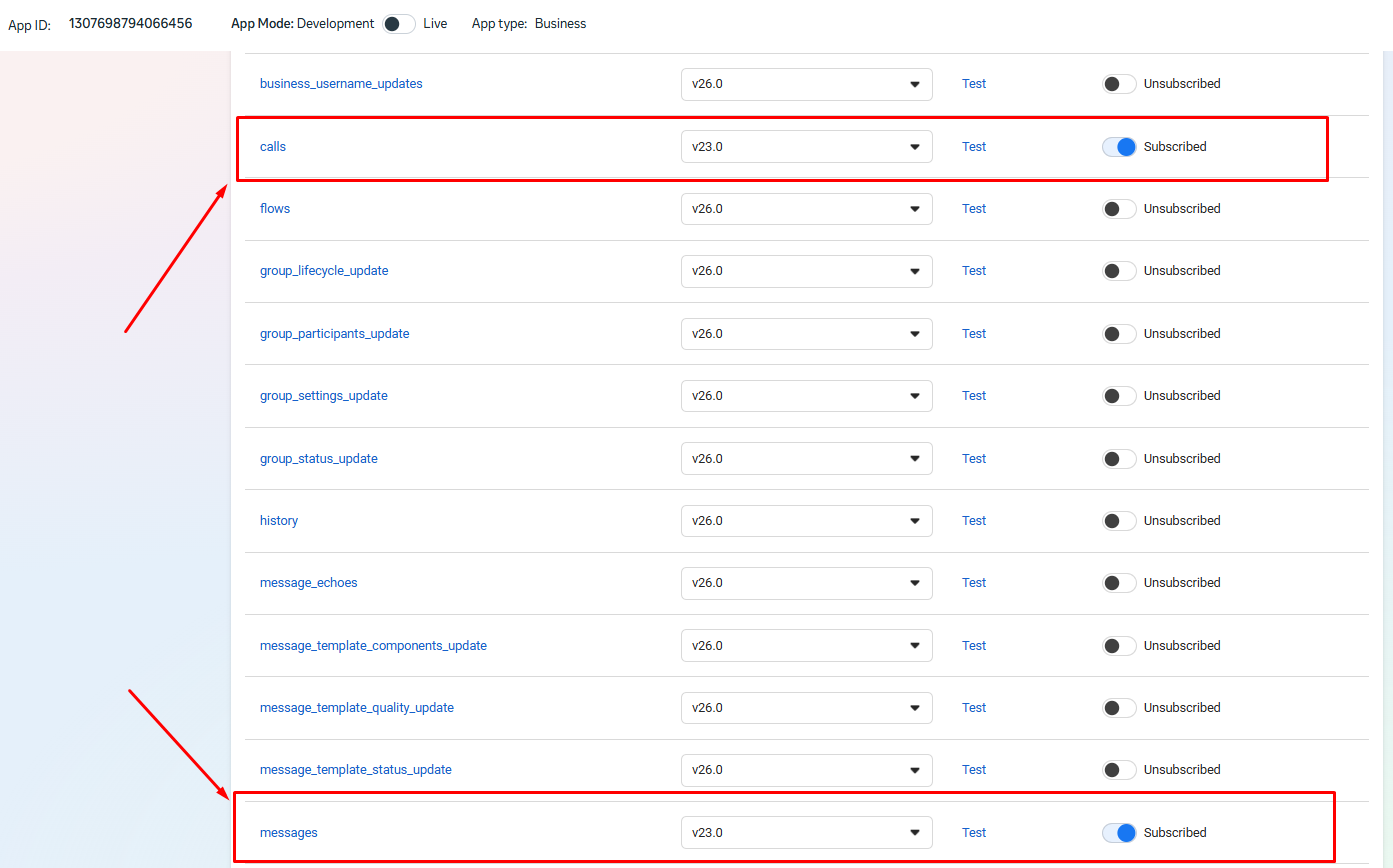
6) Enable the "messages" and "calls" options.