youmessages Knowledge Base
- Knowledge Base
- WhatsApp Cloud API сalls and messages
- STEP 5. Creating a System User
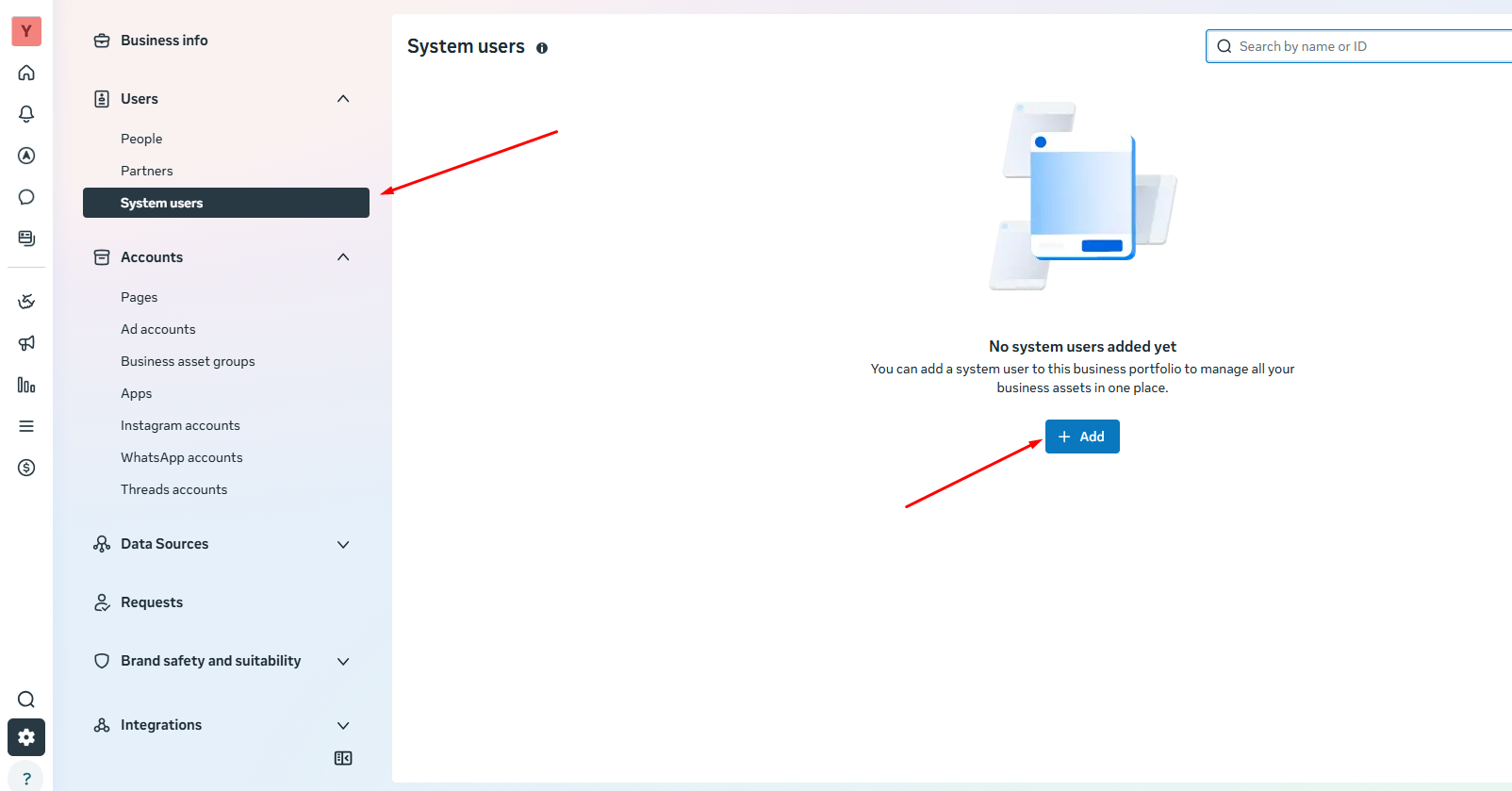
1) In your FBM Company Settings, go to the "System Users" menu.
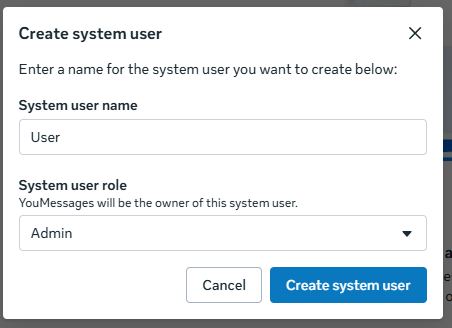
2) Enter the System User's name, select the "Admin" role, and click "Create System User".
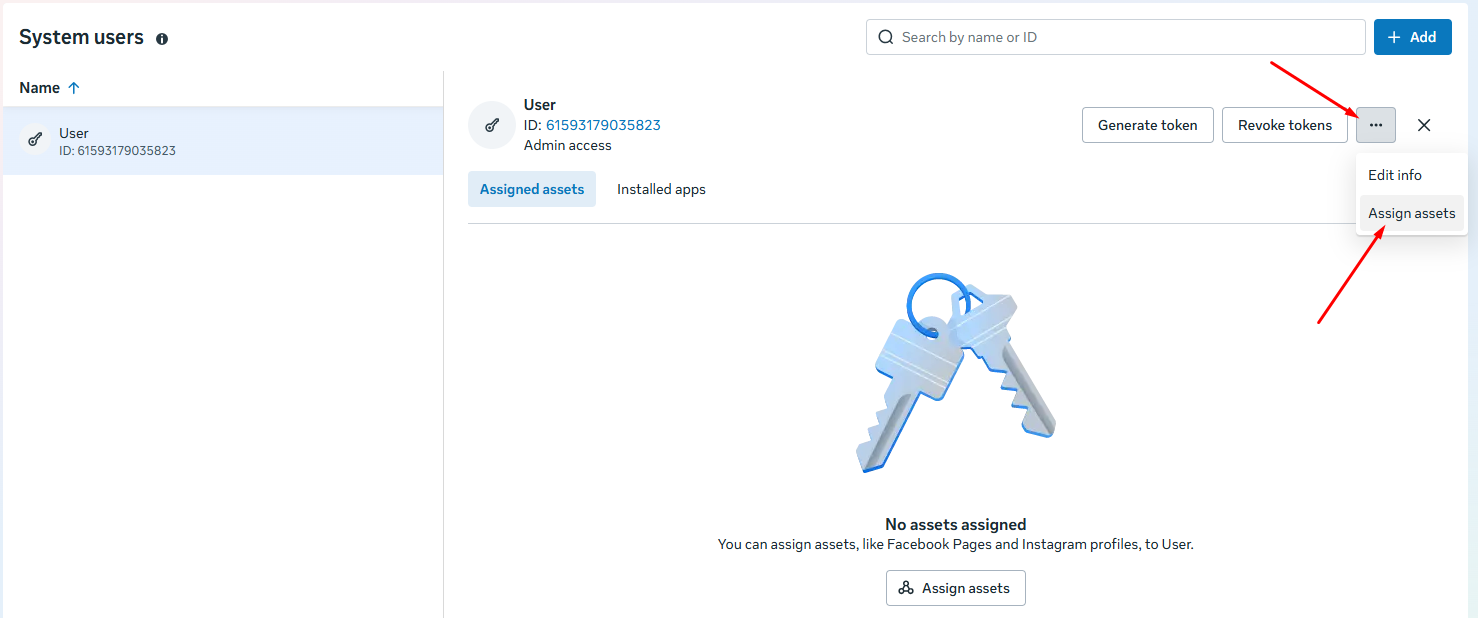
3) Next, you need to grant the System User access to the app.
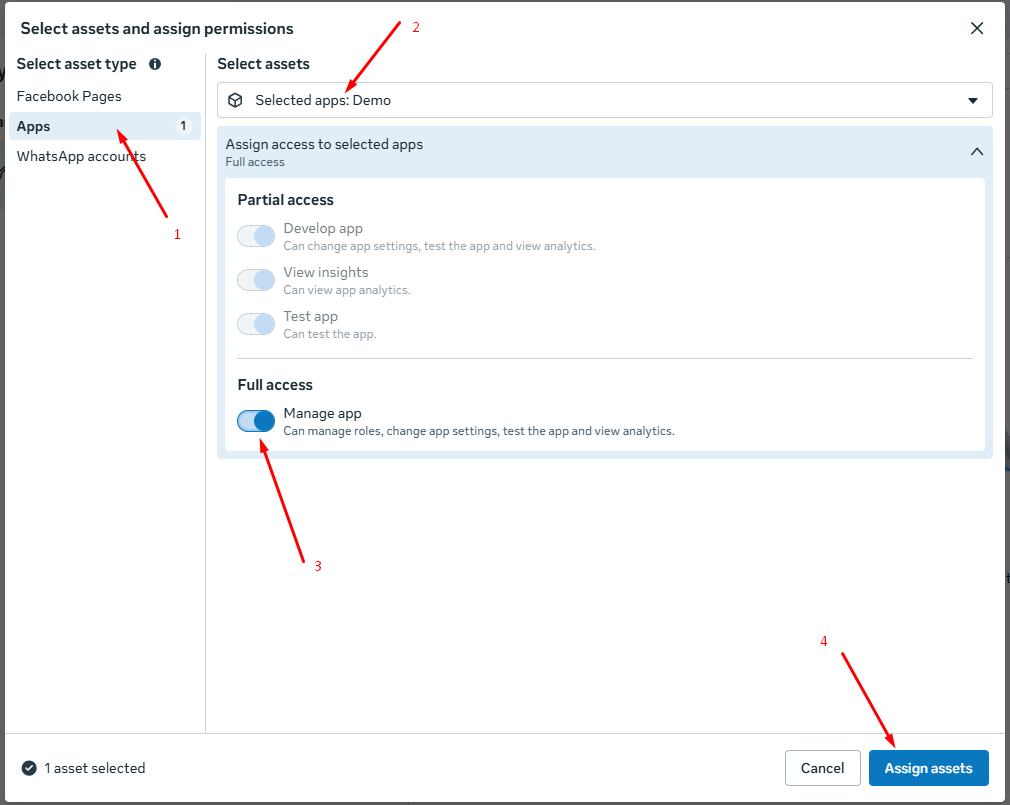
4) Select the app that was created in Step 3 and grant Full acces.