
youmessages Knowledge Base
- Knowledge Base
- WhatsApp Cloud API сalls and messages
- STEP 4. Creating a WhatsApp account
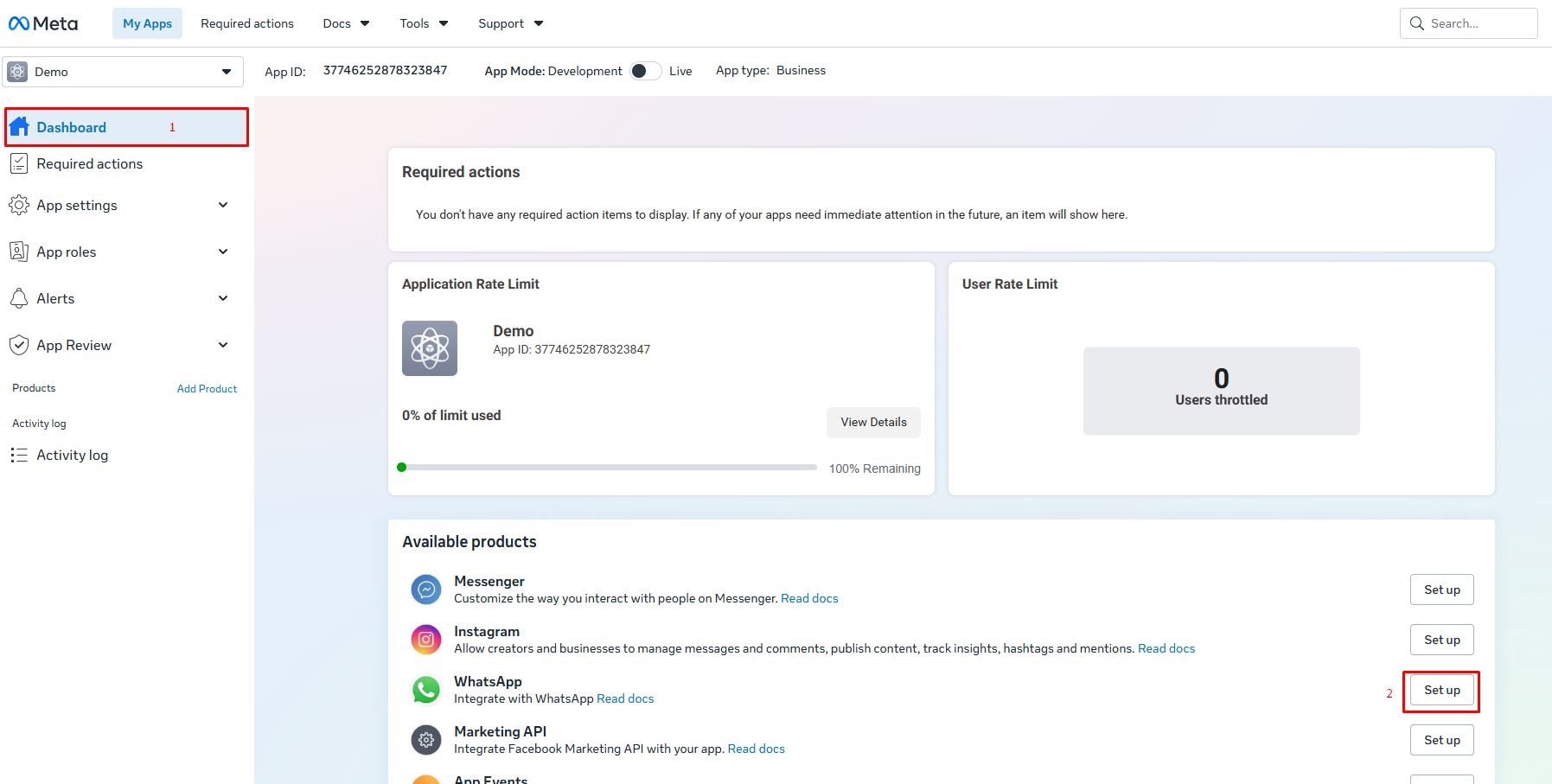
1) In the menu on the left, click "Dashboard".
2) On the WhatsApp tile, click "Set up".
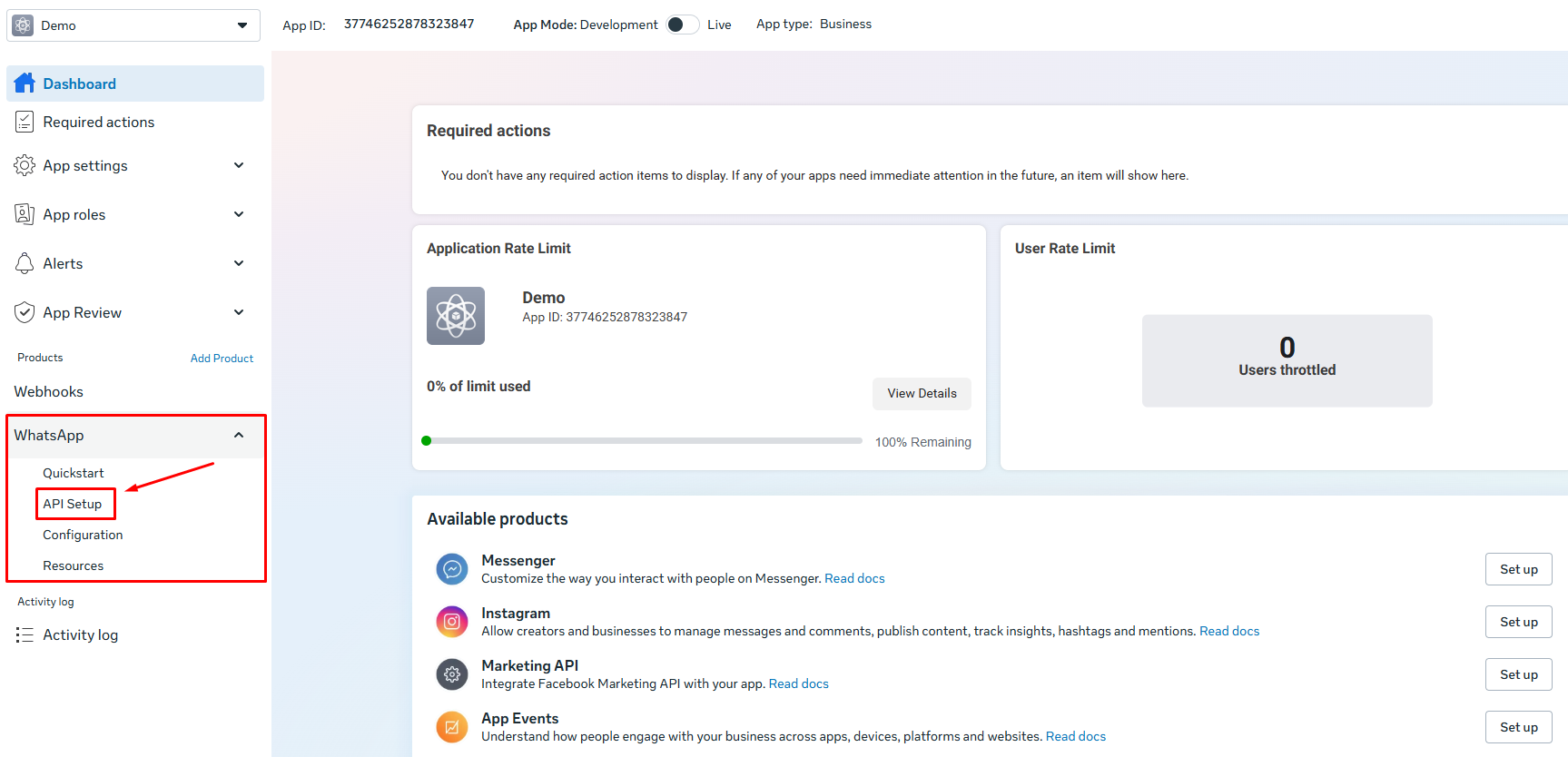
3) A "WhatsApp" tab will appear in the menu on the left. Open it and go to "API Setup".
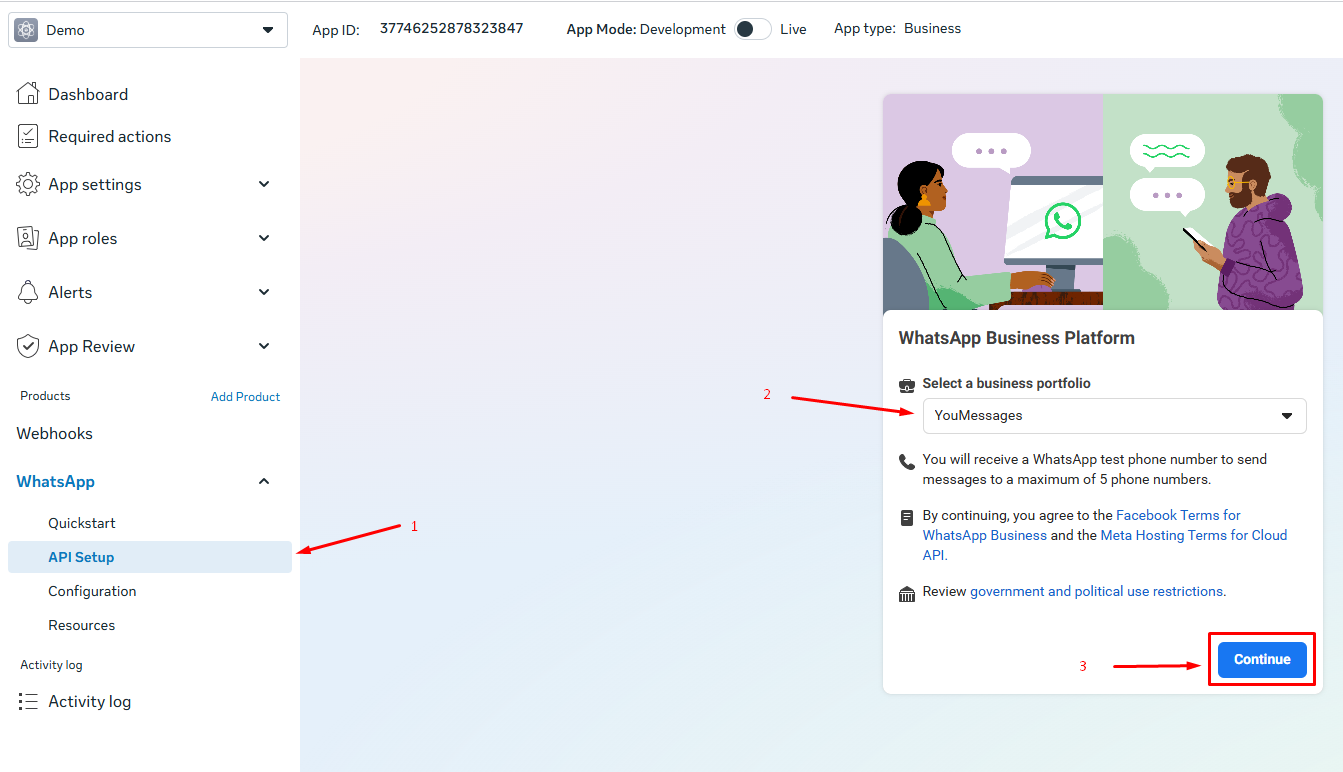
4) In the window that opens, select your Business Portfolio and click "Continue".
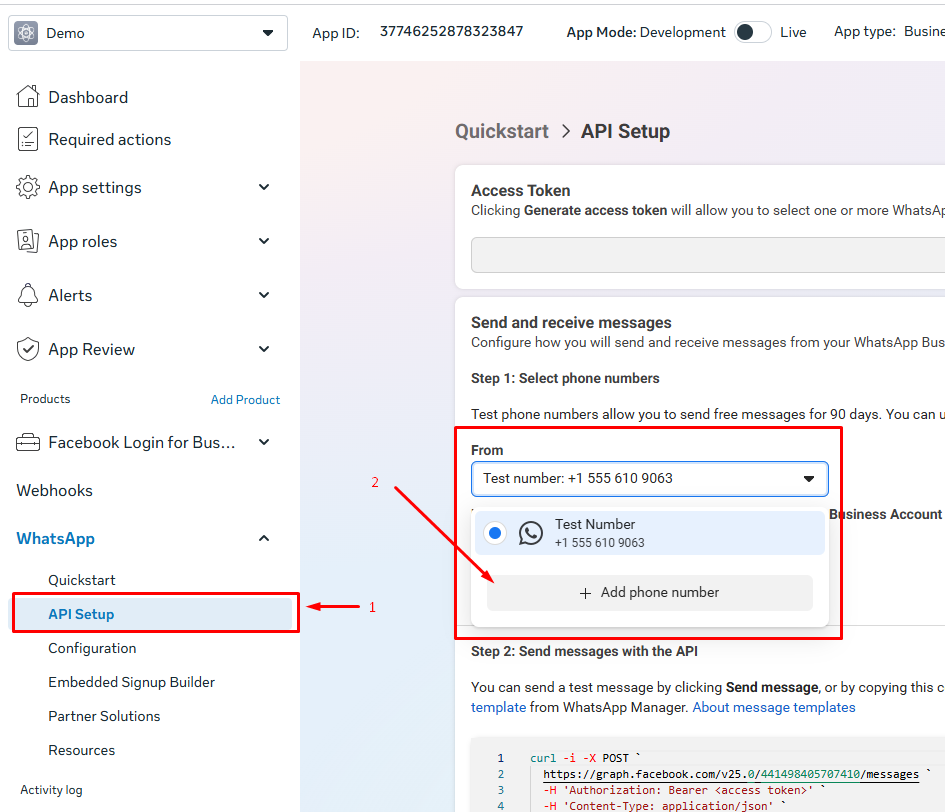
5) In the window that opens, click "Add phone number".
6) In the window that opens, enter the "WhatsApp Business display name", timezone, category, and Business description.
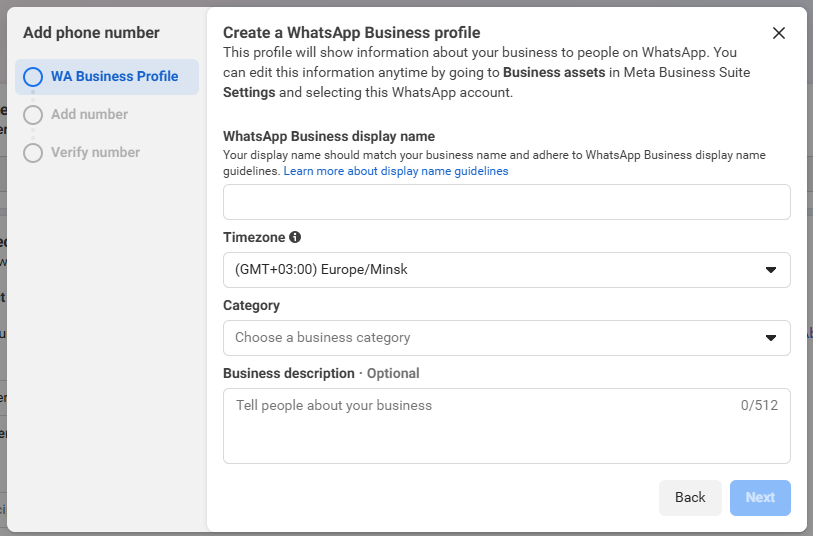
7) Enter the phone number. An SMS with a confirmation code will be sent to it.
If you see the error "This number is registered to an existing WhatsApp account...", you need to use a different phone number or delete the WhatsApp account associated with your number. To do this:
1) From your phone, open the WhatsApp app linked to that number.
2) Go to "Settings" → "Account" → "Delete my account".
3) Enter the phone number and click "Delete my account".
8) Enter the code from the SMS and click "Next".